Email automation should make communication more relevant, not simply more frequent. The strongest journeys respond to something a person has done, explain a useful next step and stop when that step is no longer appropriate.
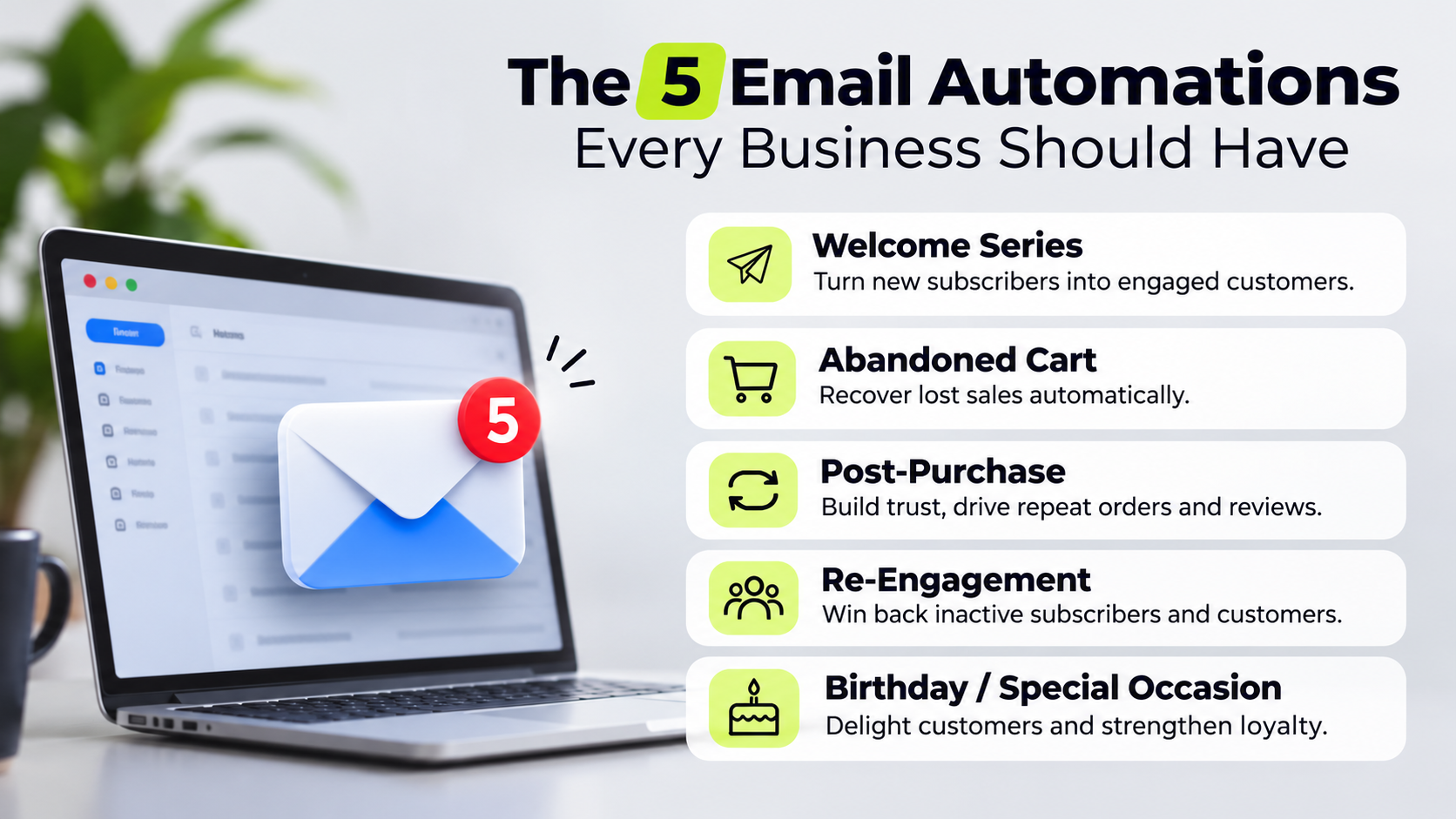
These five automations form a practical planning framework. Not every business should activate all five immediately: your permission, data quality and customer journey determine what is appropriate.
Set the rules before building the emails
Map each automation's trigger, audience, purpose, timing and exit condition. Decide which journey takes priority when someone qualifies for several. A recent purchaser should not receive an abandoned-cart reminder for the item they already bought.
Check applicable privacy and electronic marketing rules in each market you serve. Requirements differ, including for business contacts. An email address, account registration or enquiry does not automatically authorise every type of marketing.
Keep transactional messages focused on the transaction. Adding promotional content can affect how a message is treated legally. Store permission records, honour unsubscribes promptly and provide an easy way to change preferences.
Authenticate your sending domain with SPF and DKIM, and implement DMARC with appropriate monitoring. Use a recognisable sender, a monitored reply address and a sending volume your list can support. Suppress hard bounces and complaints; never buy lists.
1. Welcome: deliver what you promised
A welcome journey starts when someone knowingly subscribes or joins an eligible programme. Its first job is to fulfil the promise that prompted the signup, whether that was a guide, product updates or practical advice.
A simple sequence can include:
- An immediate message delivering the promised resource and setting expectations.
- A follow-up explaining the problem you help solve.
- A relevant next step, such as choosing interests or viewing a service guide.
Avoid turning the first message into a catalogue of everything you sell. Give readers one useful action and make your expected frequency clear.
Non-commerce adaptation: A professional services firm can introduce its approach, share a planning checklist and invite subscribers to identify their main challenge. Exit the sequence if they book a consultation or move into a more relevant journey.
2. Abandoned cart or browse: remove a specific obstacle
Abandonment emails can help people resume an interrupted decision, but identification and permission come first. A person viewing a page is not automatically someone you can lawfully email. Browse-based journeys may also require consent for the tracking used to trigger them.
For eligible contacts, start with a helpful reminder rather than an instant discount. Link back to the relevant item or saved selection, explain delivery or returns where useful, and offer a way to ask questions.
Stop the sequence when the person buys, withdraws permission or becomes ineligible. Check inventory and prices before sending. Avoid implying that stock is reserved or an offer is expiring unless that is true.
Non-commerce adaptation: Use a permitted follow-up to an unfinished quote request or an explicitly requested proposal. Do not treat every anonymous service-page visit as an abandoned sales opportunity. Where permission is unclear, improve the on-site journey instead.
3. Post-purchase: help customers get value
The period after a purchase shapes whether customers feel confident or regretful. Separate essential confirmations and service updates from optional marketing, then design helpful communication around what the customer needs next.
For a product, that might mean setup instructions, care advice or a realistic replenishment reminder. For a service, it might mean onboarding requirements, milestones and preparation for the first meeting.
Use delivery or completion events when available rather than assuming every order progresses on the same timetable. Pause promotional follow-ups when an order is cancelled, a refund is underway or a serious support issue remains unresolved.
Request feedback after customers have had a fair chance to experience the purchase. Do not condition incentives on positive reviews or selectively direct only satisfied customers towards public review platforms.
4. Nurture: support a longer decision
Some purchases need comparison, budget approval or internal discussion. A nurture sequence helps readers evaluate their options without receiving repeated “just checking in” messages.
Build it around real questions:
- What does a successful outcome require?
- What affects cost and implementation time?
- Which mistakes should a buyer avoid?
- When is your solution not the right fit?
Offer examples, decision guides and honest explanations of trade-offs. Match content to expressed interests rather than guessing from weak signals.
Hypothetical example: A software consultancy sends a subscriber a requirements template, an implementation guide and a checklist for evaluating suppliers. A consultation invitation follows, but the sequence stops when a sales conversation begins. The objective is a better-informed enquiry, not maximum email clicks.
5. Winback: give inactive customers a reason to return
Define inactivity around the normal buying cycle. A business selling annual training needs a different threshold from one selling frequently replenished supplies.
For eligible contacts, acknowledge the gap without guilt. Explain what is genuinely new, offer relevant help or ask whether their needs have changed. Discounts are optional, not the default strategy.
Non-commerce adaptation: A maintenance provider might invite former clients to review upcoming requirements. A consultancy could share a useful update related to an earlier engagement, provided the marketing contact remains permitted.
Set a short sequence and a clear endpoint. Continued silence should lead to reduced sending or suppression, not increasingly urgent messages. Retain only the information needed for legitimate recordkeeping and suppression obligations.
Measure outcomes and maintain the journeys
Monitor purchases, qualified enquiries, onboarding completion and other outcomes relevant to each sequence. Review unsubscribes, complaints, bounces and support replies alongside commercial results.
Treat opens cautiously: privacy features and automated activity can distort them. Clicks can also include security scanners, so confirm downstream behaviour before declaring success.
Start with one well-defined automation, test its triggers and exclusions, then expand. Review journeys whenever products, policies or customer expectations change. Automation saves time only when someone remains responsible for its accuracy.